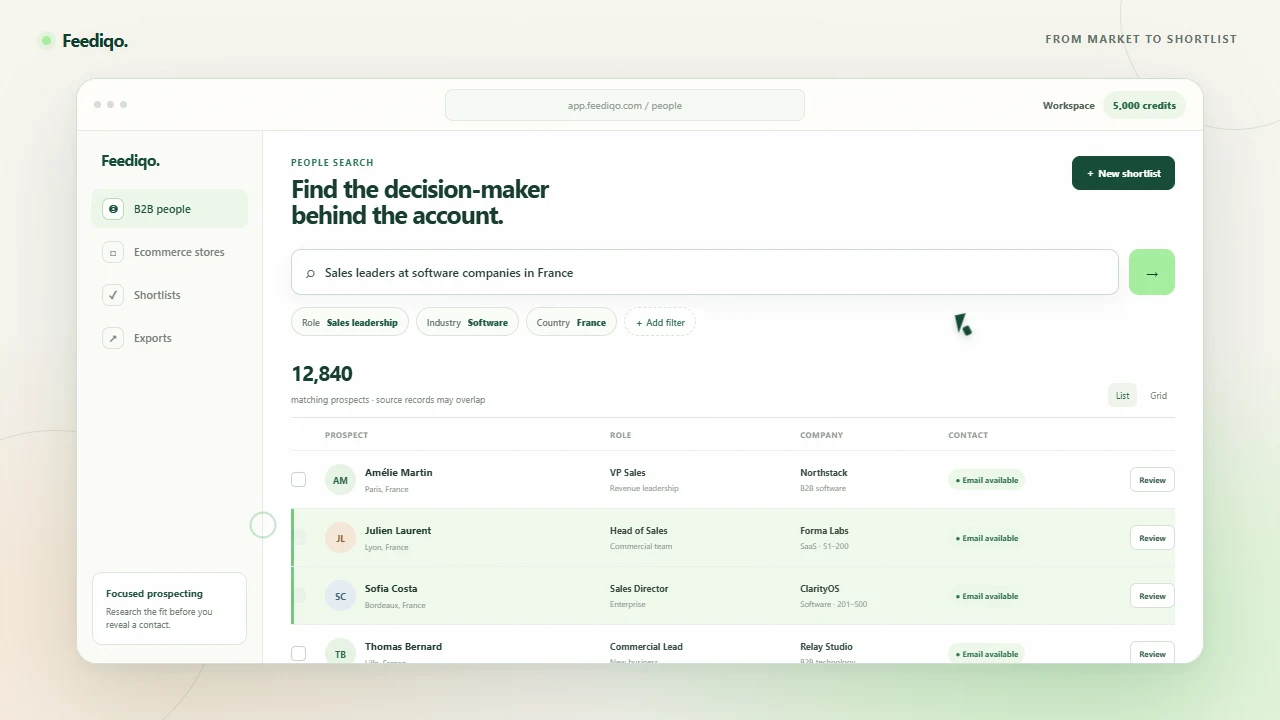
01 / B2B people
Find sales leaders at software companies in France.
- Role
- Sales leadership
- Industry
- Software
- Country
- France
- Contact
- Email available
Review the current role and company before you reveal a contact.
Explore B2B searchSearch B2B people and ecommerce stores with AI or precise filters. Review the fit, save a focused list and reach out from your connected inbox.
Start searching freeFull directory access · 25 contact reveals · No card required
AI-assisted search, two discovery engines and one place to research, organize, export and start outreach.
Coverage totals describe source records, which can overlap. Read the methodology
A quick look at search, review and shortlist building before you start your own search.
Start with the market you serve, then narrow on criteria that make a prospect relevant. These are examples of search criteria—not live results or promised matches.
Review the current role and company before you reveal a contact.
Explore B2B searchCheck the live store and available contact route before you add it to a list.
Explore store searchTurn a plain-language audience into structured filters, search people and ecommerce businesses, then carry qualified prospects into a reviewed email campaign without losing why they matched.
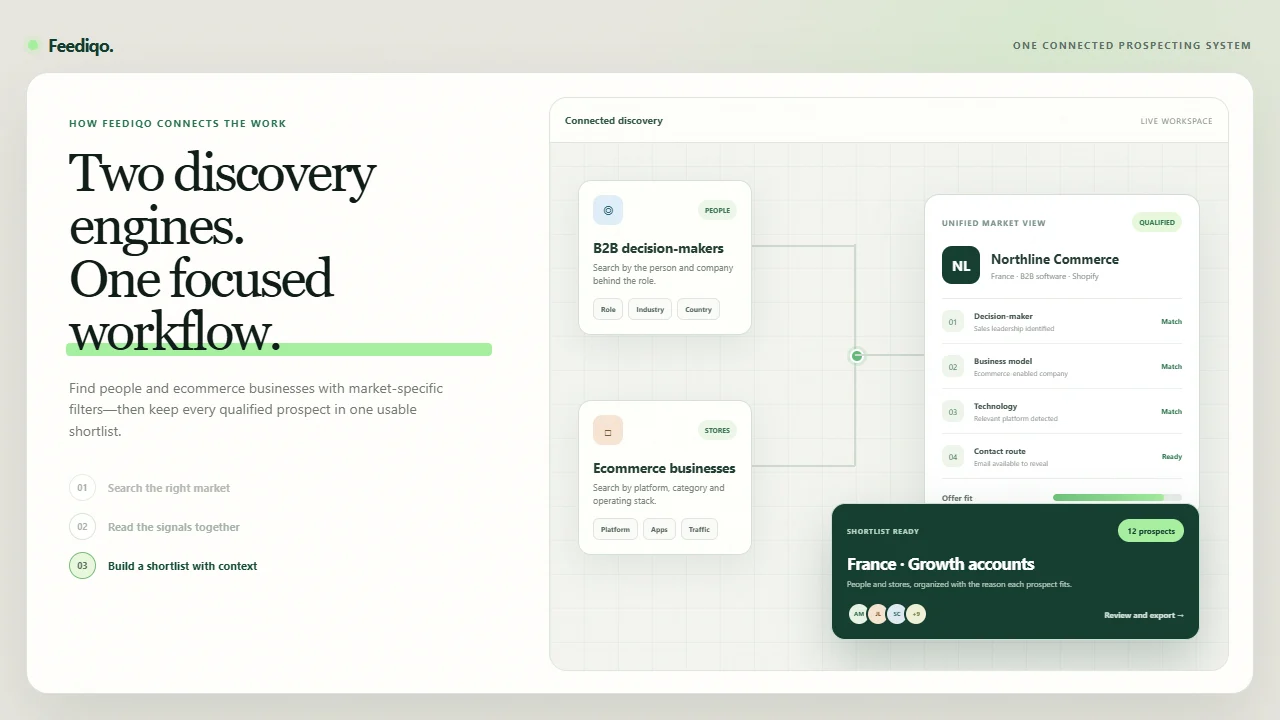
The filters change with the market. Your lists, context and next steps stay together.
Describe the audience, review every selected filter and search the existing directory immediately.
Filter by role, seniority, company, industry and geography.
Use category, installed apps, technology and commercial signals.
Find stores aligned with the platform or service you support.
Connect an available inbox provider, choose the sender, reuse templates and schedule up to three automatic follow-ups.
Feediqo is focused on finding and reviewing the right people and stores. See where larger sales platforms or dedicated sending tools go further—and where a focused workflow may be enough.
Your team needs CRM enrichment, sales tasks, a dialer or multichannel sequencing in the same platform.
Read the comparison 02 / COMPAREYour priority is mailbox operations, warmup, high-volume sending and a deeper outreach platform.
Read the comparison 03 / COMPAREYour team needs a wider GTM intelligence system, buying signals and automation across established sales and marketing operations.
Read the comparisonVendor claims are linked to their own documentation. No comparison replaces a trial with your actual market.
Explore the comparison libraryEach record shows the context available for that lead. Missing fields remain unknown rather than being filled in.
Traffic and revenue are source estimates to help narrow a market, not audited financial figures.
Read our data approachOne credit reveals one available contact record. Reopening it does not spend another credit.
Explore the real workflow before paying.
For focused, occasional prospecting.
$23/mo effective · $276 billed yearly
For a repeatable prospecting rhythm.
$39/mo effective · $468 billed yearly
Free accounts search the full directory and export up to 25 reviewed records per batch. Paid plans raise that limit. Campaign sending uses separate prepaid sending credits and a connected business inbox. Pay yearly to save about 20% and receive the complete annual lead allowance up front.
Compare all plansLearn how Feediqo sends reviewed B2B outreach campaigns from an available connected inbox, with templates, sending controls and up to three automatic follow-ups.
7 min read 02 / Sales intelligence toolsCompare Apollo alternatives by the job you need done: B2B discovery, ecommerce-store research, professional-network context, enrichment, email finding or sales engagement.
9 min read 03 / Ecommerce intelligence toolsCompare Store Leads alternatives for Shopify and WooCommerce discovery, technology targeting, B2B contacts, exports, enrichment and connected outreach.
10 min readYes. Sign in with Google to search the complete connected directory, use every search filter, reveal up to 25 available contacts and export up to 25 reviewed records per batch. No credit card is required.
One credit reveals available contact details for one person or store. A store can have multiple emails. Reopening a revealed record does not cost another credit. Paid credits reset monthly and do not roll over.
Yes. Free accounts can search the complete directory and export up to 25 reviewed records per batch. Paid plans use plan-based batch sizes from 100 to 5,000 records. Private contact details must be revealed first.
Yes. Describe the B2B audience you want in plain language and Feediqo turns the request into editable role, company, industry, location, seniority and contact filters. The filters run against the directory; AI does not invent leads or contact details.
Yes. Feediqo sends user-authorized outreach campaigns from an inbox you connect through an available provider in your workspace. Choose a reviewed saved people list, select the sender, reuse a message template, and schedule up to three automatic follow-ups. Sending credits are separate from contact-reveal credits. Feediqo does not read replies, so pause a sequence when a prospect responds and keep suppression records current.
You can cancel future renewals from Billing. Normally, paid access continues until the end of the current paid period. A refund, reversed payment or billing review can pause access.
Not for every workflow. Feediqo focuses on reviewed B2B and ecommerce prospect discovery plus bounded connected email campaigns. Apollo offers broader sales engagement and CRM enrichment, Instantly has deeper sending infrastructure, and ZoomInfo offers a wider GTM intelligence platform. Compare the tools against your own segment and required handoffs.
Search the complete directory with AI or manual filters, reveal 25 available contacts and build a reviewed shortlist. No card required.
Open Feediqo free